Main Feature
A Practical Guide to Mastering Fireball Warden Targeting for Core Destruction
A Practical Guide to Mastering Fireball Warden Targeting for Core Destruction
Baca Sekarang
A Practical Guide to Mastering Fireball Warden Targeting for Core Destruction
Baca Sekarang
A Practical Guide to Mastering Fireball Warden Targeting for Core Destruction

A Practical Guide to Mastering Final Round One Versus One Positioning

How Map Awareness Dictates Safe Pushing Limits in Late Game Stages

How Map Awareness Dictates Safe Pushing Limits in Late Game Stages

FF14 The House That Death Built Quest Guide And How To Complete It
The quest titled The House That Death Built serves as the crucial entry point for Final Fantasy XIV players looking to unlock the Palace of the Dead. This side quest introduces adventurers to the deep dungeon system, offering a unique avenue for leveling up characters and earning valuable rewards. Completing this introductory task is straightforward, provided you know where to go and which prerequisites must be met beforehand.
Before you can accept this quest, your character must reach at least Level 17 with any Disciple of War or Magic job. Additionally, you must complete the Main Scenario Quest titled The Gridanian Envoy to gain proper access to the region. Once these requirements are fulfilled, travel to New Gridania and speak with the NPC named Noelia to begin the storyline.
Noelia can be found near the Carline Canopy at the coordinates X:12.0, Y:13.1. Accepting her task will send you toward South Shroud, specifically near Quarrymill, where the mysterious subterranean labyrinth awaits. Players exploring gaming guides or seeking alternate digital resources, including m88 link alternatif, often value clear, step-by-step instructions like these to save time during gameplay.
After taking the quest from Noelia, teleport or ride your mount to Quarrymill in South Shroud. Look for the Wood Wailer Expeditionary Captain located at coordinates X:25.2, Y:20.6. Speaking with this NPC advances the quest and unlocks full access to the Palace of the Dead deep dungeon system.
The captain explains the basic mechanics of deep dungeons, such as independent character levels and specialized gear systems. Completing this dialogue interaction officially concludes the quest in your log. You are now fully prepared to enter the floors of the deep dungeon whenever you choose.
Unlocking this feature provides players with one of the most efficient ways to level up secondary combat jobs in FFXIV. The independent leveling system within the dungeon allows you to test higher-level abilities early on. It also offers exclusive rewards such as mounts, minion pets, and glamour weapons upon reaching deeper floors.
Furthermore, completing this content opens up additional deep dungeon instances added in later expansions, such as Heaven-on-High and Eureka Orthos. Starting with this initial quest is an essential milestone for any player looking to experience all the casual and deep content Final Fantasy XIV has to offer.

How To Find Steam Screenshots Complete Location Guide
Capturing memorable in-game moments on Steam is a seamless feature used by millions of PC gamers daily. However, tracking down where those captured images are saved on your local storage drive can sometimes prove surprisingly frustrating. Knowing how to access your screenshot folders both through the Steam client interface and direct file system navigation ensures you never lose track of your favorite gameplay memories.
The most straightforward method for finding your captured images is using the built-in Steam desktop client manager. Users can simply open the client, click on the View option in the top navigation bar, and select Screenshots from the dropdown menu. This action opens a dedicated media manager displaying all captured images sorted by their respective games.
Within this media window, selecting an image and clicking the button labeled Show on Disk instantly opens your operating system's native file explorer. This feature bypasses the need to manually search through complex system folders and hidden directories. It provides direct access to the exact folder location on your hard drive, allowing for quick copying or sharing.
For players who prefer navigating local storage manually or need to retrieve images while Steam is offline, images are stored within a specific installation folder. On a standard Windows installation, the primary directory path resides within your main Steam folder under the userdata directory. Inside this folder, subdirectories named with unique numerical identification numbers represent individual user accounts and specific game titles.
Navigating through these numeric folders leads to a dedicated screenshots subfolder containing raw image files. Every captured image is preserved in high quality, named according to the precise date and time it was taken. Memorizing this general file path or creating a shortcut makes manual backups extremely fast and efficient.
Steam offers options to customize how and where your captured gameplay media is processed and saved. By accessing the Settings menu within the client and navigating to the In-Game tab, users can configure shortcut keys and uncompressed image options. Enabling the option to save an uncompressed copy allows serious content creators to preserve pristine visual quality in a custom target folder.
Choosing a dedicated desktop or picture directory for uncompressed copies makes organizing media projects significantly easier. Players who frequently share content on social media or edit gameplay highlights benefit greatly from setting up a centralized folder. Adjusting these settings prevents clutter and simplifies overall file management across large gaming libraries.
Occasionally, players may encounter issues where recently captured images do not appear in expected local directories. This situation usually happens if the game client closed abruptly before writing the file or if directory permissions were modified. Restarting the Steam application or checking storage drive health typically resolves indexing errors.
Additionally, verifying that the default hotkey function is active prevents missed captures during intense gaming sessions. Ensuring that adequate disk space is available on your installation drive guarantees that new images write successfully without interruption. Routine folder maintenance helps keep your gaming storage organized and functional over time.

Medieval Dynasty Oxbow Mine Locations Complete Mining Area Guide
Navigating the vast terrain of the Oxbow map in Medieval Dynasty presents players with a wealth of strategic opportunities for resource gathering and village development. Securing early access to vital ores like salt, copper, tin, and iron is essential for blacksmithing advanced tools and weapons. Knowing the precise cave sites scattered across the region allows players to streamline their mining operations efficiently.
The Oxbow map features several distinct cave systems scattered across diverse biomes, ranging from northern mountains to southern riverbanks. Unlike simple surface deposits, these underground locations house rich veins of copper, tin, and salt. Securing these locations early helps ensure a steady stream of raw materials for your growing settlement.
Mining in the Oxbow offers unique advantages for village planners looking to maximize production efficiency. Placing worker housing and storage facilities near cave entrances drastically reduces transit times for automated resource extraction. Understanding the layout of each site helps players pick the ideal location based on their current stage of game progression.
One notable mining area is located southeast of Piastovia near a picturesque waterfall. This central site is particularly convenient for players establishing their first major hub, offering easy access to trade routes. Another major cave lies to the north near Skauki, providing direct access to rich ore veins right from the start.
For players exploring the central region, a cave positioned near the map's midsection provides an ideal location for constructing a full mining building. Once constructed, these entrance facilities allow assigned villagers to extract iron and other heavy metals automatically. Exploring the eastern river bends also reveals additional hidden caves nestled against steep cliff sides.
Venturing into the wild caves of the Oxbow is not without risk, as many underground entrances are guarded by aggressive wildlife. Predators such as bears and boars frequently spawn near mountain crevices, requiring players to bring adequate weaponry. Carrying light sources like torches is essential for navigating the dark shafts safely.
To optimize your extraction efforts, always equip durable pickaxes and manage your personal inventory weight carefully. Setting up a small outpost with temporary storage nearby saves time when transporting heavy loads back to town. Proper planning ensures that every mining trip yields high returns without unnecessary danger.
Assigning skilled villagers to mine shafts transforms manual labor into a self-sustaining passive supply chain. Once a Mine building is constructed at an eligible cave entrance, workers can generate resources daily regardless of distance from the main village. Ensuring your miners have a supply of iron pickaxes significantly boosts their overall daily output.
Balancing local mining operations with village needs keeps your economy thriving through every season change. By strategic placement of storage huts and housing, you create a seamless logistics network. Utilizing these rich geographical features ensures long-term prosperity across the Oxbow region.

Plants Vs Zombies Cherry Bomb Uses And Best Placement Tips
The Cherry Bomb is one of the earliest explosive plants unlocked in Plants vs. Zombies, functioning as an instant emergency clear tool when waves of undead threaten to breach your lawn. With its capability to obliterate almost any zombie type within a 3x3 grid instantly, mastering its timing and deployment can save a struggling defense. Understanding how to integrate this high-impact plant into your strategy ensures smoother survival across various game modes.
The Cherry Bomb operates on an instant-detonation mechanism, meaning it explodes almost immediately upon being placed on a tile. Its effect covers a 3x3 square area, destroying all standard zombies and heavily damaging tough boss-type enemies within that zone. Because it leaves behind a crater-free tile unlike the Doom-shroom, you can immediately replant on the exact same location right after the explosion.
Despite its high utility, the Cherry Bomb requires 150 Sun and comes with a long recharge cooldown timer. This means players must reserve its use for genuine emergencies or dense clusters rather than isolated threats. Recognizing when to drop a Cherry Bomb is key to maximizing its sun value throughout a level.
To get the most out of a single Cherry Bomb, place it in the middle lane of a three-lane zombie group rather than on the edges. Positioning the plant in the central row allows its 3x3 blast to affect zombies in the adjacent upper and lower lanes simultaneously. This grid positioning effectively triples the plant's value during massive wave announcements.
Another effective technique involves placing a Wall-nut or Tall-nut to stall advancing hordes, allowing them to stack closely together behind the barrier. Once a dense group accumulates around your defensive plant, dropping a Cherry Bomb behind or beside the wall clears the entire crowd at once. This combination preserves your main offensive lanes while resetting enemy momentum.
Certain heavy units like Football Zombies, Buckethead Zombies, and Gargantuars present major challenges to standard projectile plants. A single Cherry Bomb instantly eliminates heavily armored units, saving your lawn defenses from being crushed. Against Gargantuars, while one explosion will not instantly defeat them, it strips away half of their massive health pool.
Cherry Bombs are also essential for neutralising dangerous special enemies like Newspaper Zombies or Pole Vaulting Zombies before they breach your front line. Deploying an explosive response right as these fast threats cluster near your defense prevents sudden defensive breaches. Proper timing ensures you neutralize high-threat targets before they inflict severe damage to your setup.
Because of its 150 Sun cost and slow recharge, relying solely on Cherry Bombs for lane security is unsustainable in longer survival levels. Players should build a strong baseline of Sun-producers early on to easily afford emergency expenditures when large waves trigger. Keeping a Sun buffer ensures you can deploy an explosive unit the moment a lane becomes overwhelmed.
Combining Cherry Bombs with complementary plants like Potato Mines or Jalapenos helps cover your defense while the primary explosive recharges. Using low-cost options during early waves keeps your layout stable until heavy waves demand a full 3x3 area clear. Smart resource management turns the Cherry Bomb into an irreplaceable asset in your overall lawn strategy.

Robert Pattinson Batman Fan Art Creative Designs and Popular Interpretations
Robert Pattinson's portrayal of Bruce Wayne in Matt Reeves' cinematic vision sparked a massive wave of creative enthusiasm across the global art community. Digital painters, illustrators, and traditional artists quickly began capturing the gritty, noir-inspired tone of this fresh cinematic era. Their fan art offers a fascinating window into how audiences interpret the grounded aesthetic of this iconic superhero.
Many fan artists focus heavily on the tactical, handcrafted nature of the costume introduced in the movie. By emphasizing visible stitching, scraped armor plates, and leather textures, creators highlight the raw vulnerability of a young vigilante. High contrast lighting with deep shadows and crimson accents remains a favorite visual technique among digital illustrators.
These atmospheric choices often reflect the psychological intensity driving Pattinson's character during his early years of fighting crime. Artists frequently place the Dark Knight in rain-soaked alleyways or against misty urban skylines to accentuate the detective-driven story style. This focus on mood rather than pure action elevates many fan creations into evocative fine art pieces.
Beyond the Caped Crusader himself, fan artists actively design custom concepts for classic villains adapted to fit this grounded universe. Characters like Mr. Freeze, Scarecrow, and Two-Face receive grounded makeovers featuring realistic medical gear, industrial coats, and street-level attire. These creative redesigns showcase how flexible and inspiring the established cinematic world truly is for fan creators.
Illustrators frequently post detailed character sheets detailing the fictional lore behind their custom villain interpretations online. By pairing technical sketches with thoughtful lore descriptions, artists engage deeply with online communities and fellow comic enthusiasts. This collaborative speculation keeps fan interest vibrant during the wait for upcoming theatrical sequels.
The range of artistic styles used to depict Pattinson's Batman spans from hyper-realistic digital portraits to minimalist charcoal sketches. Traditional painters often rely on heavy oil textures to convey the dark, industrial feel of Gotham City's architectural decay. Meanwhile, graphic illustrators experiment with bold ink lines reminiscent of classic noir comic books.
Social media platforms have enabled these diverse artistic renditions to reach millions of fans instantly. Dedicated art showcases and community challenges regularly highlight standout pieces, encouraging ongoing participation from creators of all skill levels. The resulting portfolio of work stands as a testament to the enduring cultural impact of Batman's cinematic evolution.
Fan art serves as a powerful bridge connecting movie audiences with the broader storytelling ecosystem surrounding comic book franchises. When fans spend time crafting detailed artwork, they build personal connections to the characters and their emotional arcs. Film directors and studio personnel frequently acknowledge top fan creations, further blurring the line between creators and consumers.
This dynamic interaction elevates fan art from mere hobbyism to an influential element of modern pop culture discussion. As long as Pattinson's Batman continues to resonate with viewers, artists will continue pushing creative boundaries with their designs. The ongoing stream of imaginative artwork ensures that Gotham City remains alive in the collective imagination.

Big Boss Vs Solid Snake Comparing Their Skills And Stories
The rivalry and thematic contrast between Big Boss and Solid Snake form the core narrative pillar of the Metal Gear franchise. While both soldiers share a genetic link and extraordinary tactical capabilities, their life journeys lead them down fundamentally different paths. Examining their distinct skill sets, philosophies, and narrative arcs reveals why these two legendary operatives remain central figures in gaming history.
Big Boss, originally known as Naked Snake, earned his legendary status through surviving extreme jungle warfare and surviving political betrayal. His experiences turned him toward creating independent military forces outside government control, ultimately creating Outer Heaven to give soldiers a purpose. His trajectory is a tragic saga of ideological disillusionment and military ambition.
Solid Snake was created as a clone of Big Boss during the secretive Les Enfants Terribles project. Despite being born into a predetermined destiny with recessive genes, he constantly fights to forge his own path. Unlike his genetic father, Solid Snake rejects war as a lifestyle and dedicates his existence to stopping weapons of mass destruction.
In terms of raw combat technique, Big Boss co-created Close Quarters Combat alongside his mentor, The Boss. His survival abilities, leadership skills, and field adaptability allow him to lead armies and manage entire defense networks. He excels at long-term strategic warfare, stealth infiltration, and wilderness survival.
Solid Snake relies on extreme adaptability, resilience, and unyielding determination under severe pressure. Though initially hesitant to use CQC due to its association with Big Boss, he remains a master infiltrator capable of defeating advanced Metal Gears and genetically enhanced opponents solo. His ability to overcome impossible odds through sheer willpower makes him an exceptionally lethal operative.
Big Boss built a global legacy as a charismatic military leader who inspired total devotion among his followers. Soldiers willingly fought under his banner because he offered them a place where warriors were always needed. However, this vision ultimately led him down a dark path of perpetual conflict.
Conversely, Solid Snake operates primarily as an independent operative or alongside small teams of trusted allies. He does not build military nations, choosing instead to serve as a rogue agent fighting for human freedom and moral principles. His lasting legacy is defined by breaking cycles of violence rather than perpetuating them.
While Big Boss represents the tragedy of a warrior consumed by his vision of world order, Solid Snake proves that individuals can rise above their origins. Both characters leave behind powerful legacies, but Solid Snake's triumph lies in his refusal to become a tool or a tyrant. Their contrasting stories continue to resonate as a powerful exploration of choice versus destiny.

Six Blades Of Kojiro Locations Complete Exploration Guide
The Six Blades of Kojiro stands out as one of the most compelling Mythic Tales featured in Ghost of Tsushima. This multi-stage side quest requires players to track down and duel formidable Straw Hat assassins scattered across the region of Toyotama before challenging their notorious leader. Completing this journey rewards Jin Sakai with the powerful Kensei Armor, making it a essential quest for players seeking top-tier gear.
To begin this quest, players must first reach Act 2 of the main campaign and gain access to Toyotama. Head toward the southwestern coast to locate the hidden settlement of Umugi Cove. Speak with Yamato the musician, who can be found telling a grim legend about a bloodthirsty warrior named Kojiro.
Yamato explains that to earn the right to challenge Kojiro, Jin must first locate and defeat his five lethal lieutenants. These five Straw Hat assassins are positioned at distinct scenic locations throughout the region. Once the conversation finishes, the five duel locations will be highlighted across your map.
The five duels take place in unique natural landmarks that showcase Toyotama's diverse geography. You will face Hirotsune at the Duel Among the Spider Lilies, located northeast of Umugi Cove. Near the coast south of Old Kanazawa Marsh lies the Duel in the Drowning Marsh, where you clash with Yasumasa.
Further north, Kanetomo awaits at the Duel Under Autumn Leaves near the eastern shores of Kubara. You will also fight Tomotsugu at the Duel of Crashing Waves on the northeastern coastline. Finally, Kiyochika challenges you at the Duel Under Falling Water, tucked away near a scenic waterfall in northwestern Toyotama.
After successfully defeating all five assassins, return to Umugi Cove to report your victories to Yamato. The musician will reveal that Kojiro is waiting for you in a secluded cavern near Omi Monastery. Travel to the far northwestern side of the region to locate the monastery grounds.
Follow the Guiding Wind past the prominent Buddha statue to discover a hidden entrance concealed behind rock formations and vibrant trees. Stepping inside brings you to the Mirror of Sacred Light dueling arena, where Kojiro awaits. Ensure your Resolve is fully charged and equip defensive charms before initiating the dialogue.
Kojiro is widely regarded as one of the fastest and most aggressive duelists in the game. He frequently utilizes rapid unblockable sword strikes and piercing combinations that punish overextended attacks. Focusing on precise dodges, parries, and utilizing unblockable special moves like Heavenly Strike will help break his defense.
Defeating Kojiro completes the Mythic Tale and unlocks the legendary Kensei Armor alongside the Kensei Headband. This armor set significantly enhances your Resolve generation and boosts the combat effectiveness of your Ghost Weapons. Master these locations and strategies to master one of Tsushima's greatest combat challenges.
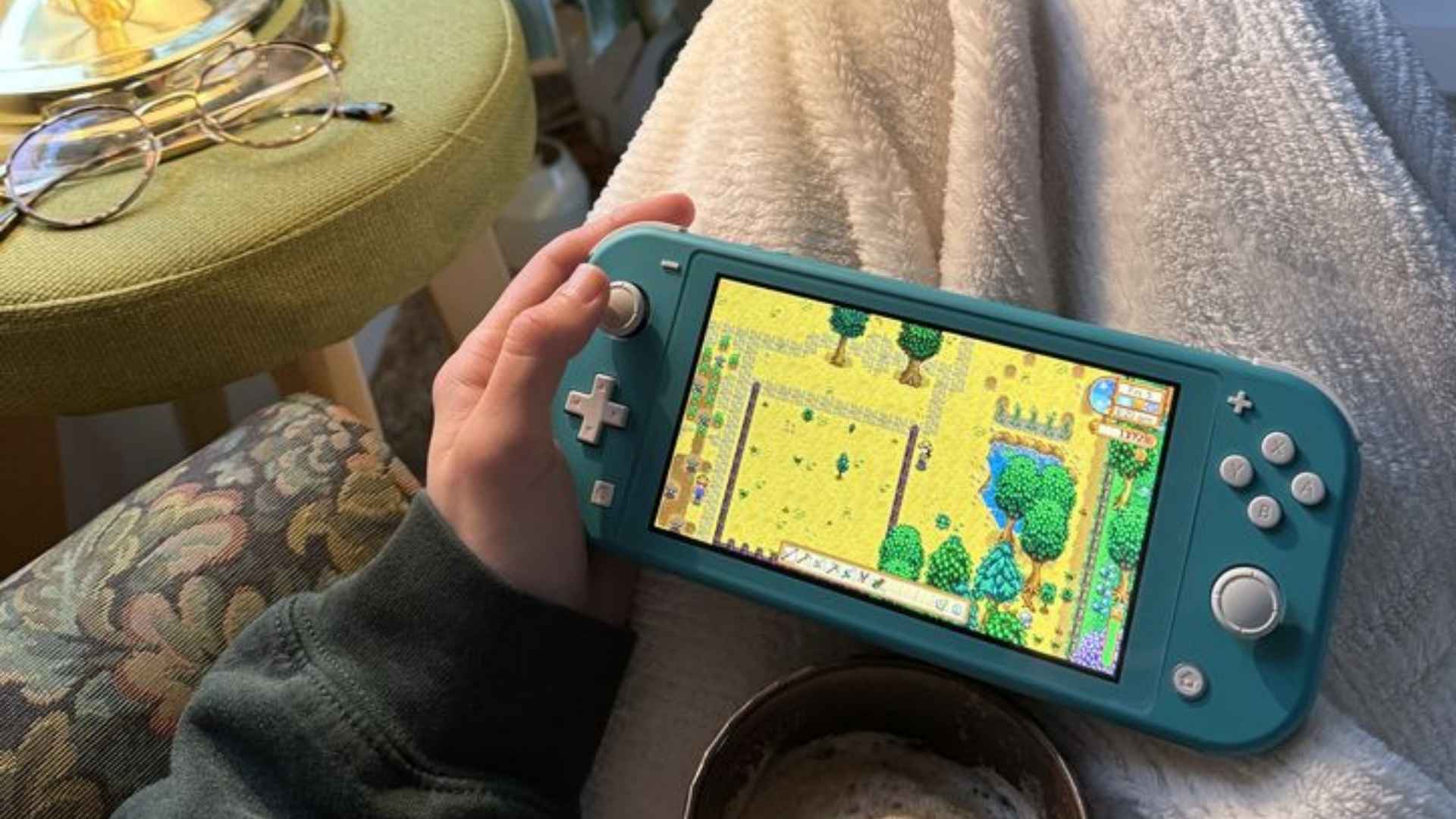
How To Get Marika's Scarseal Elden Ring And Its Effects
In Elden Ring, balancing stat increases with incoming damage trade-offs is a core strategy for optimizing spellcaster builds. Among the early-to-mid-game items designed for magic users, Marika's Scarseal serves as a vital talisman that boosts mental and magic-oriented attributes. Understanding how to locate this item and evaluate its risks can significantly enhance your effectiveness in combat.
Marika's Scarseal is located in the subterranean region known as Siofra River. To reach this area, players must take the elevator down from the Siofra River Well located in the Mistwood region of Limgrave. Once inside, proceed through the lower ruins toward the main open area where the spirit pillars reside.
From the central section of Siofra River, head toward the northern elevated ledges using a portal near the collapsed pillars. Navigate past the snipers and head toward the waterfall basin located right behind the Dragonkin Soldier boss arena. You can pick up the talisman from a corpse resting near the base of the waterfall without triggering the boss battle.
Equipping Marika's Scarseal raises Mind, Intelligence, Faith, and Arcane by 3 points each. These bonuses provide immediate improvements to your Focus Points pool, sorcery scaling, incantation potency, and status effect application. However, this boost comes at the cost of taking 10% additional damage from all incoming attacks.
This double-edged nature means players must remain cautious when engaging heavy-hitting enemies or bosses. While the extra stat points can help meet minimum weapon requirements early on, the increased damage penalty makes dodging crucial. Players looking to explore similar gear mechanics can check out How To Get Marika's Scarseal Elden Ring And Its Effects for further build optimization strategies.
Marika's Scarseal is most effective during the early stages of a playthrough when flat attribute bonuses yield the highest percentage gain for your character. hybrid casters benefit greatly from boosting both Intelligence and Faith simultaneously to cast lower-tier spells. As your natural level increases, the flat bonus provides diminishing returns relative to the defensive drawback.
In late-game areas, players often upgrade to Marika's Soreseal or replace the item entirely with specialized talismans. Specialized options like the Graven-School Talisman or Canvas Talismans offer damage boosts without penalizing your overall damage negation. Evaluating your overall survivability will determine whether keeping the Scarseal equipped remains worth the risk.

Can You Get BeamNG Drive On PS4 And What To Expect
BeamNG.drive has long been renowned among simulation fans for its detailed soft-body physics engine and realistic vehicle damage mechanics. As console gaming evolves, many PlayStation players are asking whether this iconic title is available on last-generation hardware like the PS4. Here is a comprehensive overview of BeamNG.drive availability on PS4, technical limitations, and what console enthusiasts should expect moving forward.
The short answer is no, BeamNG.drive is not available on the PlayStation 4 and will not receive an official release for the platform. The development team focused their console efforts exclusively on current-generation hardware like the PlayStation 5. Consequently, owners of older PlayStation hardware cannot download or purchase the title on the PlayStation Store.
While this news may disappoint PS4 owners, the restriction stems primarily from hardware constraints rather than arbitrary decisions. The soft-body physics engine relies heavily on modern CPU capabilities to calculate dynamic vehicular deformation in real time. PS4 hardware simply lacks the processing power required to run the simulation smoothly.
Running BeamNG.drive requires substantial system resources, particularly from the central processor and system memory. Each vehicle component is simulated as a network of nodes and beams that interact continuously during crashes and maneuvers. The aging Jaguar CPU inside the PS4 cannot keep up with these complex physical calculations.
On PC, the game regularly demands high-end processors and at least 16GB of RAM to maintain stable frame rates. Attempting to scale down these calculations for older hardware would compromise the core mechanics that define the experience. For this reason, the developers chose to target stronger console platforms capable of handling the game.
Console players looking to experience BeamNG.drive can look forward to its official arrival on PlayStation 5. The current-gen release brings the full soft-body physics engine to living room setups for the first time. Players can expect smooth visual performance, optimized controls, and features like local split-screen play.
However, early console versions may differ slightly from the long-standing PC build in certain areas. Features like extensive user-generated modding and virtual reality support will not be available immediately at console launch. Developers aim to build feature parity over time as optimizations continue on console architectures.
If you only own a PS4, exploring cloud gaming or PC setups remains your best option to play BeamNG.drive. Cloud streaming platforms allow players to run demanding titles on lower-spec hardware without performance bottlenecks. Alternatively, building or upgrading a modern budget PC can grant full access to the complete simulation and mod library.
For those holding out hope for a retrofitted PS4 port, upgrading to current-gen hardware is ultimately recommended. As more developers transition fully to newer systems, current-generation consoles provide the standard for demanding physics simulators. Transitioning to a PS5 ensures you can enjoy BeamNG.drive and future major updates without compromise.

Can You Get BeamNG Drive On PS4 And What To Expect
BeamNG.drive has long been renowned among simulation fans for its detailed soft-body physics engine and realistic vehicle damage mechanics. As console gaming evolves, many PlayStation players are asking whether this iconic title is available on last-generation hardware like the PS4. Here is a comprehensive overview of BeamNG.drive availability on PS4, technical limitations, and what console enthusiasts should expect moving forward.
The short answer is no, BeamNG.drive is not available on the PlayStation 4 and will not receive an official release for the platform. The development team focused their console efforts exclusively on current-generation hardware like the PlayStation 5. Consequently, owners of older PlayStation hardware cannot download or purchase the title on the PlayStation Store.
While this news may disappoint PS4 owners, the restriction stems primarily from hardware constraints rather than arbitrary decisions. The soft-body physics engine relies heavily on modern CPU capabilities to calculate dynamic vehicular deformation in real time. PS4 hardware simply lacks the processing power required to run the simulation smoothly.
Running BeamNG.drive requires substantial system resources, particularly from the central processor and system memory. Each vehicle component is simulated as a network of nodes and beams that interact continuously during crashes and maneuvers. The aging Jaguar CPU inside the PS4 cannot keep up with these complex physical calculations.
On PC, the game regularly demands high-end processors and at least 16GB of RAM to maintain stable frame rates. Attempting to scale down these calculations for older hardware would compromise the core mechanics that define the experience. For this reason, the developers chose to target stronger console platforms capable of handling the game.
Console players looking to experience BeamNG.drive can look forward to its official arrival on PlayStation 5. The current-gen release brings the full soft-body physics engine to living room setups for the first time. Players can expect smooth visual performance, optimized controls, and features like local split-screen play.
However, early console versions may differ slightly from the long-standing PC build in certain areas. Features like extensive user-generated modding and virtual reality support will not be available immediately at console launch. Developers aim to build feature parity over time as optimizations continue on console architectures.
If you only own a PS4, exploring cloud gaming or PC setups remains your best option to play BeamNG.drive. Cloud streaming platforms allow players to run demanding titles on lower-spec hardware without performance bottlenecks. Alternatively, building or upgrading a modern budget PC can grant full access to the complete simulation and mod library.
For those holding out hope for a retrofitted PS4 port, upgrading to current-gen hardware is ultimately recommended. As more developers transition fully to newer systems, current-generation consoles provide the standard for demanding physics simulators. Transitioning to a PS5 ensures you can enjoy BeamNG.drive and future major updates without compromise.
Semua artikel sudah ditampilkan.